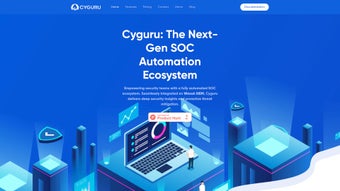

Download Cyguru – AI‑Powered SOC, Secure Cloud Monitoring, Free Trial
Why Cyguru Is Gaining Momentum in Modern SOC‑as‑a‑Service
In today’s threat‑rich environment, organizations of every size are forced to choose between costly, on‑premise security operations centers and under‑protected, ad‑hoc monitoring solutions. Cyguru enters this space as a cloud‑native, AI‑driven Security Operations Center (SOC) that eliminates the need for massive hardware investments, lengthy contracts, or a team of seasoned analysts. By delivering continuous monitoring, real‑time threat detection, and automated compliance mapping from a single web‑based console, Cyguru makes enterprise‑grade security accessible to small‑to‑medium businesses (SMBs) while still scaling to meet the demands of larger enterprises.
The platform’s freemium tier lets users protect up to five assets without spending a cent, providing a risk‑free environment to evaluate AI‑enhanced detection, vulnerability scanning, and the integrated SecPedia knowledge hub. As cyber‑risk becomes a board‑level concern, Cyguru’s promise of a “set‑and‑forget” SOC—delivered securely over the internet, updated automatically, and supported across Windows, Linux, and major public clouds—offers a compelling alternative to traditional SIEMs that require complex rule‑bases and constant tuning. This introduction will explore how Cyguru’s design philosophy, pricing model, and technology stack align with the needs of modern organizations seeking a proactive, cost‑effective security posture.
Core Capabilities: Comprehensive Overview and Feature Set
Platform Overview
Cyguru is built on a multi‑tenant architecture that ingests telemetry from servers, endpoints, containers, and cloud workloads. Once an agent or cloud connector is installed, the platform automatically discovers assets, normalizes logs, and applies AI‑driven detection models to identify suspicious behavior. Every alert is enriched with contextual data, such as the relevant regulatory framework (GDPR, PCI DSS, HIPAA, ISO 27001) and a recommended remediation path. The dashboard is purpose‑built for non‑technical users, offering visual heat maps, risk scores, and drill‑down capabilities that simplify the investigation process. By abstracting the complexity of traditional SOC operations, Cyguru enables security champions, IT managers, and even executive leadership to stay informed about the organization’s security posture without needing deep security expertise.
Key Features
- AI‑Driven Threat Detection: Machine‑learning models analyze network traffic, log streams, and endpoint behavior to spot anomalies that signature‑based tools miss.
- Continuous Vulnerability Monitoring: Real‑time CVE scans prioritize findings based on exploitability, asset criticality, and business impact.
- Compliance Assurance Engine: Automated mapping to GDPR, PCI DSS, HIPAA, and ISO 27001 provides audit‑ready reports and compliance‑focused alerts.
- SecPedia Knowledge Hub: A curated library of MITRE ATT&CK tactics, techniques, and procedures (TTPs) that assists analysts in understanding and responding to threats.
- Multi‑OS Support: Native agents for Windows Server, Windows 10/11, and major Linux distributions; agent‑less connectors for AWS, Azure, and GCP.
- Freemium Tier: Free monitoring for up to five assets, unlimited alerts, and full access to SecPedia.
- Scalable Subscription Plans: Tiered pricing based on asset count, data retention, and advanced analytics modules.
- Zero‑Touch Deployment: One‑click installers and automated cloud connector setup reduce onboarding time to minutes.
Competitive Edge
While many SOC‑as‑a‑Service providers target large enterprises with complex licensing structures, Cyguru focuses on simplicity and affordability for SMBs. The AI models are continuously retrained using anonymized telemetry from the entire user base, ensuring that detection capabilities stay current without manual rule updates. Moreover, the built‑in compliance engine eliminates the need for separate audit tools, a common pain point for organizations juggling multiple solutions. These differentiators—affordable pricing, user‑centric UI, and automated compliance—position Cyguru as a strong alternative to legacy SIEMs that often require dedicated staff and extensive customization.
Getting Started: Installation, Daily Use, and Compatibility
Step‑by‑Step Installation
- Create an Account: Visit the Cyguru website, click “Start Free,” and complete the registration form. An email verification link finalizes the account.
- Deploy the Agent: In the portal, navigate to “Agents.” Download the Windows (.exe) or Linux (shell script) installer. Run the Windows installer with administrator privileges; on Linux, execute
curl -sSL https://cyguru.com/agent.sh | sudo bash. The agent registers automatically with your cloud tenant. - Connect Cloud Services: Use the “Cloud Connectors” wizard to link AWS, Azure, or GCP via OAuth. No service‑account keys are required, and the wizard automatically discovers resources.
- Define Monitoring Policies: Choose from pre‑built templates (e.g., “PCI‑DSS Web Server”) or craft custom policies using the drag‑and‑drop builder.
- Validate Deployment: The dashboard displays a “Health” indicator for each asset. Confirm that agents show “Online” and that the initial vulnerability scan has completed.
Daily Usage Workflow
After installation, Cyguru runs silently in the background, streaming telemetry to the cloud. Security teams interact primarily through the web UI, which offers four main workspaces:
- Dashboard Overview: Real‑time heat map of threat severity, asset health, and compliance status.
- Alert Management: Alerts are grouped by attack technique and compliance impact. Users can acknowledge, assign, mute, or triage alerts directly from the list.
- Investigation Tools: Clicking an alert opens a detailed timeline, raw log excerpts, and suggested remediation steps sourced from SecPedia.
- Reporting Engine: Generate quarterly compliance reports with a single click; the system automatically pulls relevant findings and maps them to regulatory controls.
Supported Operating Systems
Cyguru agents are officially supported on the following platforms:
- Windows Server 2012 R2 and later, Windows 10/11 (64‑bit)
- Linux distributions with kernel 3.10+ (Ubuntu 18.04+, CentOS 7+, Debian 10+, Red Hat Enterprise 8+)
- Containerized workloads via Docker and Kubernetes (auto‑discovery mode)
Cloud connectors work across AWS, Azure, and Google Cloud without additional on‑premise software. Hybrid environments can also forward logs from firewalls, proxies, and VPN gateways via syslog or API integrations.
Pros and Cons: A Balanced Look at Cyguru
What Users Love
- AI‑driven detection dramatically reduces false positives compared with signature‑only solutions.
- Integrated compliance mapping saves time during audits and eliminates the need for separate reporting tools.
- Freemium tier provides genuine value for very small teams, allowing risk‑free evaluation.
- Intuitive, web‑based UI makes SOC tasks accessible to non‑technical staff and reduces training overhead.
- Scalable pricing model grows with the organization, ensuring predictable cost as asset count increases.
Areas for Improvement
- Advanced analytics, such as custom machine‑learning models, are restricted to higher‑tier plans.
- On‑premise reporting options are limited; most outputs are cloud‑centric PDFs.
- Legacy Windows 7 machines are not supported, which may affect organizations with older hardware.
- Initial onboarding for complex multi‑cloud environments can require additional guidance or professional services.
- Some users experience slight latency in alert delivery during peak traffic periods.
Overall Rating: 4 out of 5 stars – Cyguru delivers a robust, AI‑enhanced SOC experience for SMEs with an easy‑to‑use interface, integrated compliance, and flexible pricing.
Frequently Asked Questions
Is there a free version of Cyguru, and what does it include?
Yes. The freemium tier allows monitoring of up to five assets, provides real‑time alerts, and grants full access to the SecPedia knowledge hub. It’s ideal for startups or small teams that want to evaluate AI‑driven detection before upgrading.
How does Cyguru handle data privacy for sensitive logs?
All telemetry is encrypted in transit using TLS 1.3 and stored at rest with AES‑256 encryption. Cyguru also offers data‑residency options for EU‑based customers to satisfy GDPR requirements.
Can Cyguru integrate with existing SIEM or ticketing tools?
Yes. The platform provides native integrations with Splunk, QRadar, ServiceNow, and Jira via webhooks or REST APIs, allowing alerts to be automatically pushed to external ticketing systems for streamlined incident response.
What level of support is available for paid subscribers?
Paid plans include 24/7 email support, a dedicated account manager for enterprise tiers, and optional on‑site onboarding workshops. Critical tickets receive a response within one hour.
How frequently are the AI detection models updated?
Cyguru updates its detection models nightly using aggregated, anonymized threat data from all customers. This continuous learning cycle ensures protection against emerging tactics without manual patching.
Conclusion – Is Cyguru Right for Your Organization?
For businesses that lack a dedicated security team yet cannot afford the risk of fragmented monitoring, Cyguru offers a compelling blend of AI‑driven detection, automated compliance, and a user‑friendly interface. The freemium tier lowers the barrier to entry, while subscription plans scale predictably with asset count and analytical needs. Although advanced customization requires a higher‑tier plan, the core feature set delivers more value than many traditional SIEMs at a fraction of the cost. If you’re ready to modernize your security operations, reduce false positives, and stay audit‑ready without investing in hardware, download Cyguru today and protect your infrastructure with AI‑powered confidence.



.png)



